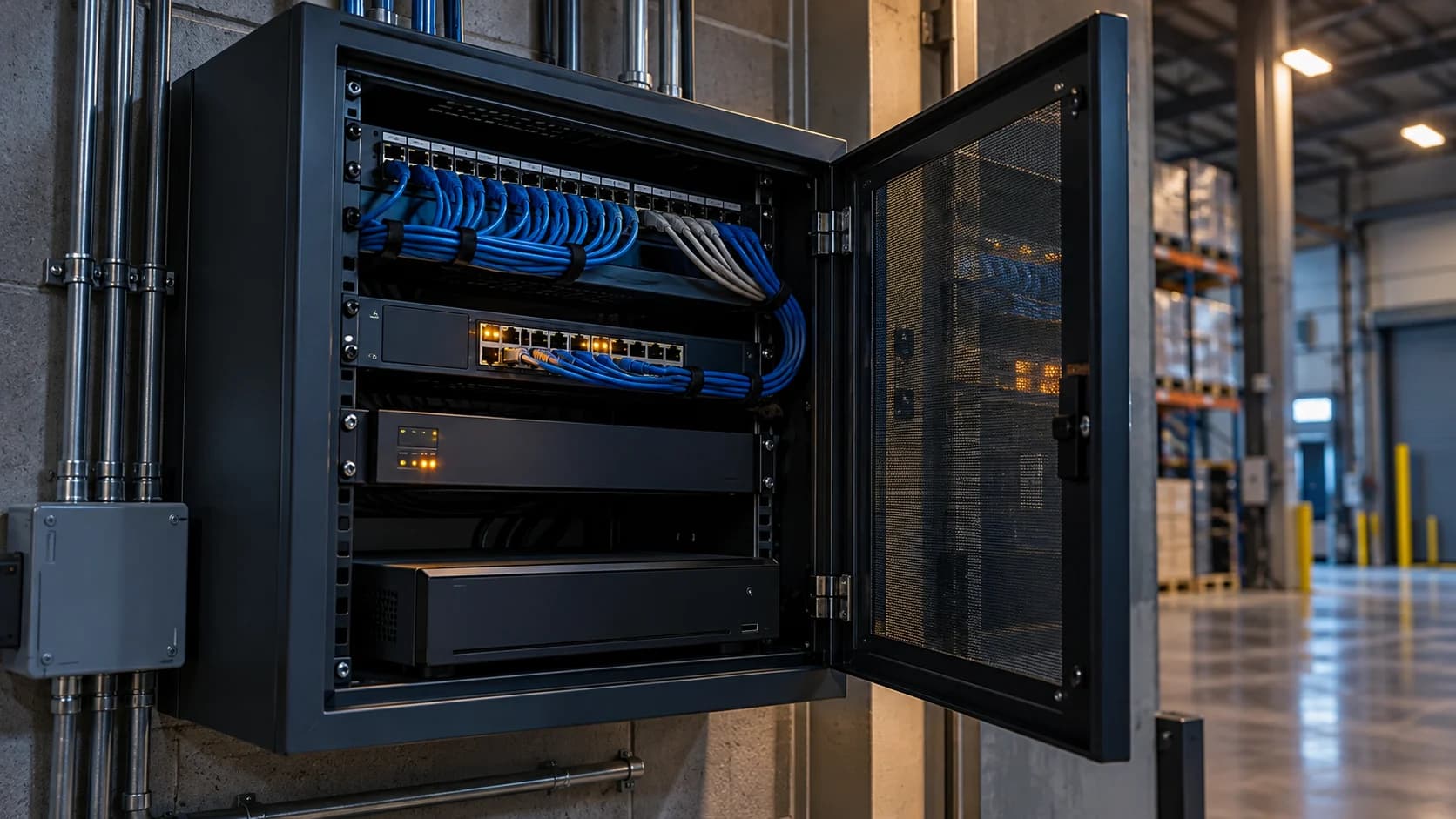
A powered recorder is not much help if the switch supplying the cameras has stopped. Follow the whole dependency path before sizing backup.
The idea in view · Planning diagram
Power the dependencies of the intended duty
- Camera power
- Camera switch
- Recorder
- Router or modem
- Remote service path
- Verified restoration
Map the dependency chain
Identify cameras, PoE switches, recorders, routers and any gateway. Record their measured or documented loads with the installer. Include equipment whose power source is elsewhere in the building, and distinguish local recording from the remote path.
Specify the purpose of backup
Decide whether backup is intended to bridge a short interruption, allow controlled shutdown or sustain a defined duty. Have qualified staff assess runtime, battery condition, environmental limits and electrical safety. Do not choose a runtime from marketing figures alone.
Test through an approved procedure
Coordinate maintenance and notifications before any interruption test. Check both recording and remote event delivery. Record the actual test conditions, unsupported elements and restoration behavior, including whether systems reconnect without manual intervention.
Choose the purpose of backup first
Ask whether the design is meant to bridge a brief interruption, sustain an agreed operating duty or permit a controlled shutdown. Have qualified personnel assess the actual load, equipment dependencies and suitable runtime. The answer should come from the installed design and safe test evidence rather than a runtime printed for a different load.
Plan the test through authorized maintenance. Notify the coverage owner and agree the fallback before interrupting any supply. Verify recording and remote functions independently. Retain the result even if it reveals a limit: a known unsupported dependency is more useful than assuming every device attached to a UPS creates uninterrupted service.
Draw the complete powered path
A backup-power plan should identify every component required for the intended duty: cameras, powered switches, recorder, router, modem or other connectivity equipment and any approved integration appliance. Keeping the recorder running is not enough if the cameras lose power at the switch. Keeping cameras running is not enough for remote review if the site connection is unavailable.
Separate local recording continuity from remote monitoring continuity. They can fail differently and may have different power dependencies. Record which outcome the business is trying to maintain, for how long and under what conditions. This worksheet does not choose an electrical design or certify a runtime. A qualified responsible person should assess equipment suitability, installation and safety using the actual vendor specifications and site requirements.
Use the real load and usable-runtime information
List the equipment supplied by each backup unit and obtain the relevant load and supported runtime information. An electrical nameplate, marketing capacity and observed runtime are different inputs. Document which value is being used and why. Do not divide an advertised battery number by a guessed camera load and present the result as guaranteed service duration.
Consider startup, connected accessories and the condition of the backup equipment in the authorized technical assessment. The appropriate design depends on the actual installation. Keep maintenance, inspection and replacement responsibilities clear. A backup device installed years earlier should not be treated as an enduring guarantee without the checks required by its manufacturer and the site's maintenance process.
Test without creating an unsafe outage
Any power-interruption test needs authorization, safety planning and coordination with affected systems and users. Do not pull plugs or isolate circuits casually to see what happens. The responsible qualified team should define the supported test, operating limitation and restoration process. Other services may share the same equipment or circuit, so the camera task cannot be assessed in isolation from the site.
Observe the intended outcome: useful views, recording, connectivity and event delivery as relevant. Record what remained available and what did not. After normal power returns, verify the accepted configuration and service path. A device rebooting successfully does not prove that time, event rules or remote access recovered correctly. Keep the operational resumption separate from the electrical restoration time.
A fictional recorder backup with an unprotected switch
A warehouse has a backup unit connected to its recorder and router. During a planned authorized assessment, the team discovers that the camera switch is not on the protected path. The recorder stays on, but the cameras cannot provide video. The existing arrangement supports less of the intended task than the equipment list suggested.
The qualified technical owner assesses the appropriate correction and supported capacity. The revised plan identifies the full chain and the agreed test. After implementation, the team checks the relevant recording and remote event path rather than looking only at the backup unit's display. If the connection has an external dependency that cannot be maintained, the playbook states the resulting limit and fallback. Backup power is one part of continuity, not a promise that every outage becomes invisible.
Make the call
Which part of the duty would survive?
| Situation | Decision to make | What to ask for |
|---|---|---|
| Only the recorder has backup power | Whether cameras still send footage | Camera and PoE-switch dependency checks |
| Cameras and recorder stay powered | Whether remote delivery also continues | Router, gateway and connection checks |
| Power returns after the test | Whether the workflow reconnects correctly | A restoration and event-delivery result |
Before you move on
- List every device in the required path.
- Obtain a qualified load and runtime assessment.
- Run an approved test and verify restoration.
A worksheet you can actually use
Start with the blank sheet. Add one row per item, assign an owner and mark anything unresolved as pending. The completed example shows the level of detail to aim for.
Keep completed security plans private. Use aliases; keep passwords, access codes, personal contacts and footage links in your approved systems.
How to fill the worksheet
- Device group
- Include cameras, switches, recording and connectivity components required by the intended duty rather than protecting the recorder alone.
- Required duty
- State whether the aim concerns local recording, remote review or another accepted function so the power path can be assessed.
- Power source
- Identify the approved supply and backup arrangement through a controlled technical reference, without directing unsafe electrical work.
- Load evidence
- Use vendor or qualified-owner information and distinguish measured load, stated assumptions and advertised product capacity.
- Backup status
- Record the supported design and maintenance state rather than treating an installed battery as an enduring runtime guarantee.
- Test result
- Reference an authorized safe test and its observed functions, including relevant checks after normal power returns.
A worked example
Fictional site: a UPS supports the NVR but not the network switch. The team records that local recorder power alone does not sustain the intended camera path.
| Device group | Required duty | Power source | Load evidence | Backup status | Test result |
|---|---|---|---|---|---|
| PoE switch | Camera power and data | To verify | Installer record | To assess | Not tested |
Questions readers bring to this task
What else should you know?
What if the building loses its broadband service too?
Power backup does not guarantee the external connection remains available. Map the dependency and agree the operating fallback. If another connection is proposed, it needs its own approved design, capacity check and recovery test.
Link to this answer ↗Will a UPS guarantee continuous remote monitoring?
No. The full camera and connectivity path, external dependencies and runtime conditions still matter. A backup unit may support a defined part of the system for a limited period. Confirm the actual design, test and fallback rather than treating the product label as a service guarantee.
Link to this answer ↗Can I test by unplugging the equipment?
Use only an authorized procedure defined by the responsible technical and safety owners. An improvised interruption can affect recording and other site systems or create hazards. The worksheet is for planning and recording the test, not instructing an unqualified person to work on electrical equipment.
Link to this answer ↗What should be checked after power returns?
Useful views, relevant recording, time context, event delivery and the accepted operating configuration. Record when the duty is verified as resumed. Power restoration and full service restoration may be different events, and any remaining fault should keep its owner and next action.
Link to this answer ↗Notes & sources
Electrical work and power tests require qualified personnel. This worksheet is not a UPS sizing calculator or a guaranteed backup duration.
Reviewed October 27, 2026. The examples and worksheets are planning aids, not customer results or a statement of contracted service.
- Axis: device hardening guide
Manufacturer guidance on accounts, access, network boundaries and time settings; use your equipment vendor’s instructions.
- Axis: Camera Station hardening guide
Vendor-specific network exposure and segmentation guidance.